
Export highlighted code to HTML: three style strategies
Copy HTML or download a ZIP with inline styles, standalone CSS or scoped Tailwind utilities and the matching JSON configuration.
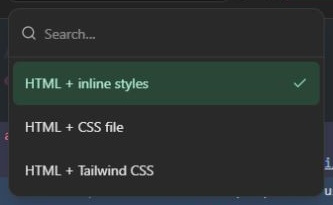
Screenshots show the English interface; controls are available in your selected website language.
Choose the destination first
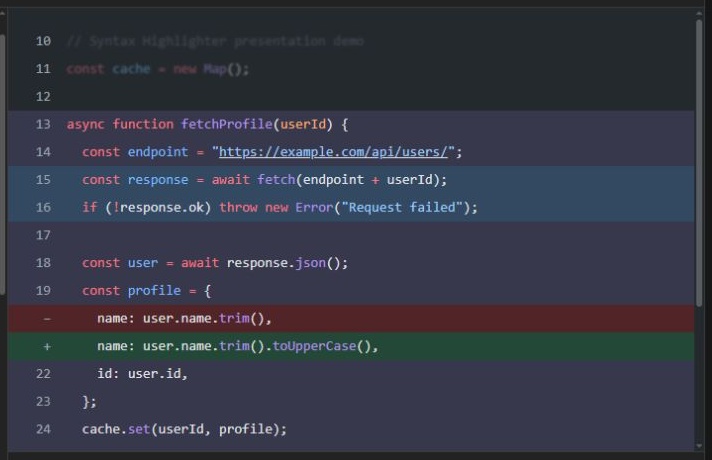
Select an output format at the top of Code preview. All three formats use the same language tokens and presentation rules, including line backgrounds, opacity, focus, folding, numbering and scrolling. The preview renders the generated document in an isolated iframe; website chrome is not part of the export.
| Format | Files and styling | Appropriate destination |
|---|---|---|
| HTML + inline styles | Element-level style attributes; no separate stylesheet | A page or editor that preserves inline styling |
| HTML + CSS | index.html links to style.css; selectors are scoped below .syntax-highlighter | A website where you can host both files |
| HTML + Tailwind CSS | Utility classes plus compiled, scoped style.css; README lists used classes | A utility-based workflow or a standalone export |
No strategy embeds a style element. Tailwind output uses standard utilities where available and arbitrary values for exact theme colors and dimensions. It is not a promise to use only named default palette colors. The generated stylesheet excludes global Preflight; you do not need a CDN runtime to open the supplied files.
Copy or download
Copy HTML copies the complete HTML document, not just the inner code fragment. To embed it into an existing page, use the .syntax-highlighter wrapper from the document and include the matching stylesheet when needed. Do not paste a second document head and body into your page content.
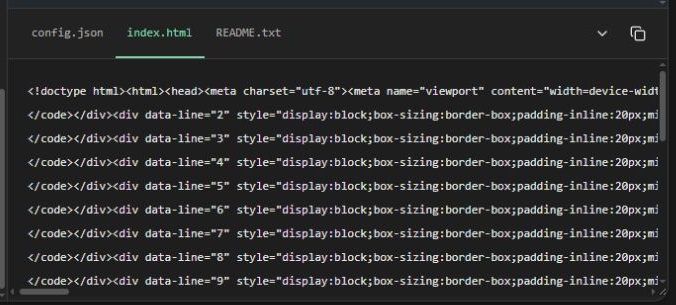
Download files creates a ZIP containing index.html, config.json, README.txt and, for CSS/Tailwind formats, style.css. Extract the ZIP before opening index.html. Keep its stylesheet alongside it or update the link to your hosted path. Copying only HTML does not copy the external stylesheet.
The file tabs let you inspect and copy one file at a time. The JSON tab remains available before output is ready. The collapse button hides the file area; arrow keys, Home and End navigate file tabs.
Preserve the result when publishing
The code viewport is 448 px tall and scrolls horizontally or vertically for long content. Styling is scoped to the exported wrapper; placing the full document in an iframe provides stronger isolation from the destination site's own styles. A hostile global CSS reset can still override embedded fragments.
Some CMS editors and email clients strip inline styles, links or details. Test the actual destination rather than assuming identical behavior in every editor. For static visual sharing use PNG export. Keep HTML when selectable text, clickable links or folding matter.
Open the code highlighter · All guides · Articles and comparisons